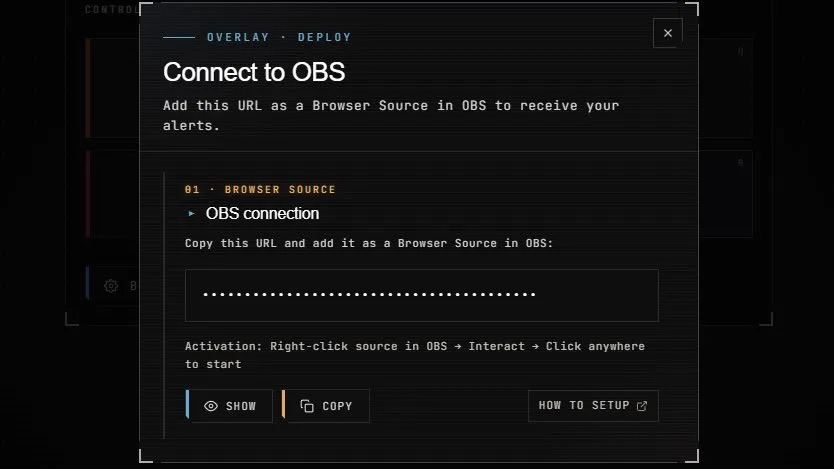
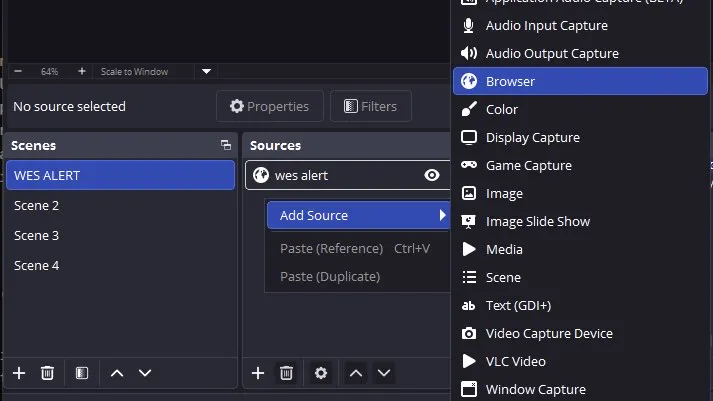
Fire a test alert.
Back in your Dashboard, open the Test Alerts
panel. Pick an event type (follow, sub, donation) and click
Send. The alert should play in OBS within a
second.
If nothing happens, check OBS → View → Docks
→ Stats: the Browser Source should report no errors.
If it does, see Troubleshooting
below.
Need to position it? In the Dashboard, click
Customize (next to Pack Library). The
live preview mirrors your 1920×1080 OBS overlay: under
Placement / Alert position, pick a spot on the
grid and adjust the size — you see exactly where the alert lands,
no blind guessing. Once the pack is applied to your overlay, you
can also tick Freeze a test alert in OBS to check it
against your real scene.